Sega Megadrive – 7: Gamepad Input and the Game Loop

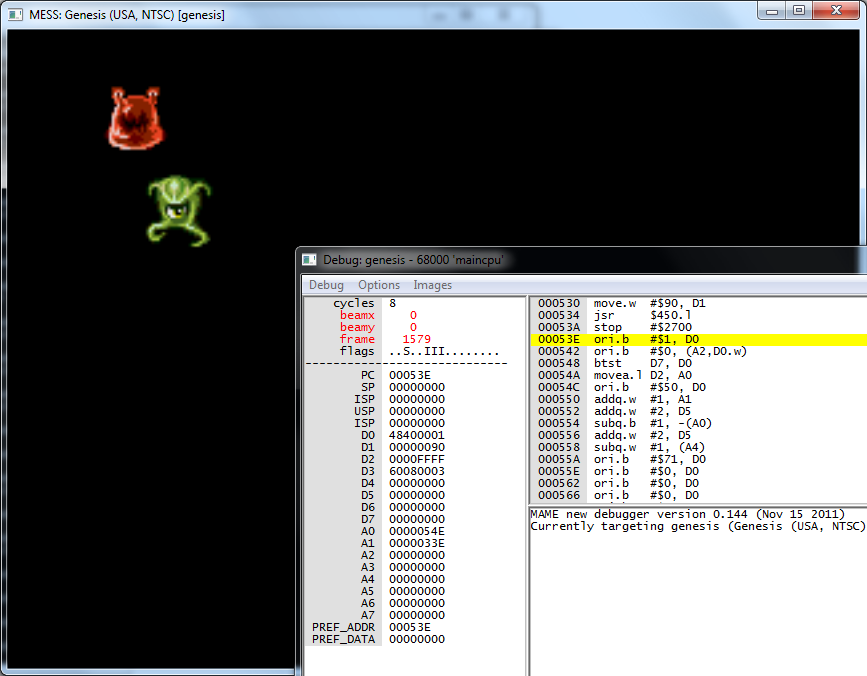
Since I plan on the next few articles to be about plane scrolling and sprite animation, I’d like to experiment with a few of the prerequisites first – basic pad input, timing, and the main game loop. I already have a sprite on screen, plus some subroutines for setting its X and Y coords, so I’ll aim to move it around the screen using the D-pad at various speeds. Hopefully this won’t take long.

Timing seems pretty awkward; in modern games programming I’m used to recording a frame’s delta time and using that to determine how far a character should move in one frame. This would require some extra maths which could bog the 68k down, and since the VDP has a fixed refresh rate the common technique seems to be to use hard-coded speed values, but wait for vsync at the end of the game loop. It sounds very hacky to me, since I was taught to use time deltas to achieve FPS independence all through my programming career, but let’s see how it goes.

Polling gamepad input

Gamepads are interacted with through the port control and port data addresses. These are generic 9-pin serial ports, used to connect pads, joysticks, light guns, even modems, but for simplicity I’ll assume we only have gamepads connected for now. I’ll also assume we’re not interested in port C, which is the EXT port on the back of the American Genesis model 1.

To read a pad’s state, we need to read from its data port – there’s one per port, 0x00A10003 and 0x00A10005. Only a byte at a time can be read from these addresses, and to tell the port whether we want the upper or lower byte returned we have to write bit 7 to it first. A typical read for all of the buttons goes something like this:

  • Read one byte from data port to a register (contains 00SA0000)
  • Shift the data to the upper byte
  • Write bit 7 ON to the port
  • Read one byte again to the register (contains 00CBRLDU)
  • Write bit 7 OFF to the port to put it back to normal
This should be pretty simple in code:
ReadPad1:
   ; d0 (w) - Return result
   move.b pad_data_a, d0    ; Read upper byte from data port
   rol.w  #0x8, d0          ; Move to upper byte of d0
   move.b #0x40, pad_data_a ; Write bit 7 to data port
   move.b pad_data_a, d0    ; Read lower byte from data port
   move.b #0x00, pad_data_a ; Put data port back to normal

   rts
After calling the subroutine, d0 should contain a word with bits representing Up, Down, Left, Right, A, B, C and Start, in this format: 00SA0000 00CBRLDU. I’ve added some defines to make it easy to BTST the word to check if a particular button is being held down:
pad_button_up    equ 0x0
pad_button_down  equ 0x1
pad_button_left  equ 0x2
pad_button_right equ 0x3
pad_button_a     equ 0xC
pad_button_b     equ 0x4
pad_button_c     equ 0x5
pad_button_start equ 0xD

Getting the state of a 6 button pad is a little more complex – it requires bit 7 to be set ON, and then OFF, and then ON again to retrieve the 3rd byte of data. For the moment I’ll leave it out, I don’t own any 6 button controllers for testing anyway.

Waiting for vertical blanking

In order to update a sprite’s position without causing any tearing or flickering, it’s best to modify them during vertical blanking. This is the period during which the electron beam has reached the bottom-right hand side of the screen and is in the process of moving back up to the top-left. To test for this state, we need to poll the VDP’s status register. This is as simple as reading a word from the VDP control port. The word’s bits represent the following:

  • 0: Region mode: OFF=NTSC, ON=PAL
  • 1: ON during a DMA operation
  • 2: ON during horizontal blanking
  • 3: ON during vertical blanking
  • 4: ON during odd frame in interlaced mode
  • 5: ON whilst two sprites have non-transparent pixels colliding
  • 6: ON whilst too many sprites are on a single scanline
  • 7: ON during a vertical interrupt
  • 8: ON if FIFO is full
  • 9: ON if FIFO is empty
  • 10-15: Unused

We’re interested in bit 4, which will get turned ON whilst the screen is being blanked to perform a vertical retrace, and OFF whilst the screen is active and drawing:

WaitVBlankStart:
   move.w vdp_control, d0 ; Move VDP status word to d0
   andi.w #0x0008, d0     ; AND with bit 4 (vblank), result in status register
   bne    WaitVBlankStart ; Branch if not equal (to zero)
   rts

WaitVBlankEnd:
   move.w vdp_control, d0 ; Move VDP status word to d0
   andi.w #0x0008, d0     ; AND with bit 4 (vblank), result in status register
   beq    WaitVBlankEnd   ; Branch if equal (to zero)
   rts

Waiting for the vertical blanking has a second advantage – it happens once every 50th (PAL) or 60th (NTSC) of a second, so it forces our game loop to run at a maximum of 50 or 60 FPS.

Putting it all together

I’m assuming the whole idea is to ensure that the game code is fast enough to execute inside one whole frame, before the VBlank occurs, to keep it running at 24 frames per second. If it oversteps the mark, it’ll have to wait until the next VBlank which will reduce the framerate to 12. This all sounds awkward to me, but let’s see how it pans out when I make a start on the actual game.

Building on the code from the last article, I can now write a game loop which will check the gamepad data, and set the sprite’s X and Y coordinates during vertical blanking, and whilst maintaining 24 frames per second. I’ve also added a check for the A button, which will increase the speed of the sprite’s movement:

 move.l #0x80, d4 ; Store X pos in d4
 move.l #0x80, d5 ; Store Y pos in d5

 ; ************************************
 ; Main game loop
 ; ************************************
GameLoop:

 ; ************************************
 ; Read gamepad input
 ; ************************************
 jsr ReadPad1 ; Read pad 1 state, result in d0

 move.l #0x1, d6              ; Default sprite move speed in d6

 btst   #pad_button_a, d0     ; Check A button
 bne    @NoA                  ; Branch if button off
 move.l #0x2, d6              ; Double sprite move speed
 @NoA:

 btst   #pad_button_right, d0 ; Check right button
 bne    @NoRight              ; Branch if button off
 add.w  d6, d4                ; Increment sprite X pos by move speed
 @NoRight:

 btst   #pad_button_left, d0  ; Check left button
 bne    @NoLeft               ; Branch if button off
 sub.w  d6, d4                ; Decrement sprite X pos by move speed
 @NoLeft:

 btst   #pad_button_down, d0  ; Check down button
 bne    @NoDown               ; Branch if button off
 add.w  d6, d5                ; Increment sprite Y pos by move speed
 @NoDown:

 btst   #pad_button_up, d0    ; Check up button
 bne    @NoUp                 ; Branch if button off
 sub.w  d6, d5                ; Decrement sprite Y pos by move speed
 @NoUp:

 ; ************************************
 ; Update sprites during vblank
 ; ************************************

 jsr    WaitVBlankStart ; Wait for start of vblank

 move.w #0x0, d0        ; Sprite ID
 move.w d4, d1          ; X coord
 jsr    SetSpritePosX   ; Set X coord
 move.w d5, d1          ; Y coord
 jsr    SetSpritePosY   ; Set Y coord

 jsr    WaitVBlankEnd   ; Wait for end of vblank

 jmp    GameLoop        ; Back to the top

More timing

I’ve been experimenting with some code which delays for a set number of frames, it’s currently of no use to me but along the way it’s forced me to take a more detailed look at the h/v-sync interrupts and the 68000 status register, so I’ll share my findings.

First, a correction. My original code for VDP registers 1 and 2 make the following claims:

dc.b 0x20 ; 0: Horiz. interrupt on, plus bit 2 (unknown, but docs say it needs to be on)
dc.b 0x74 ; 1: Vert. interrupt on, display on, DMA on, V28 mode (28 cells vertically), + bit 2

The values aren’t very useful, and the comments aren’t strictly true. I’ve had a good read of a document (in references) laying out each bit of each register and the following makes better sense:

dc.b 0x14 ; 0: Horiz. interrupt on, display on
dc.b 0x74 ; 1: Vert. interrupt on, screen blank off, DMA on, V28 mode (40 cells vertically), Genesis mode on

The mysterious “bit 2” of the first two registers are actually compatibility modes for the SEGA Master System. Bit 2 of register 1 OFF sets 8 colours per palette, and bit 2 of register 2 OFF puts the VDP in SMS display mode. The first register needed fixing up to turn on horizontal sync interrupts.

The horizontal and vertical sync interrupts are jumped to each time the proton beam reaches the right-hand side of the screen, and when it reaches the bottom-right hand corner of the screen. As far as I can find, the horizontal interrupt is the most frequently occuring event we can monitor. By reserving an integer’s worth of RAM, we can increment a counter every time it fires, and use that as a system tick count. Surprisingly, this is the first time I’ve even used main memory – everything I’ve done so far transfers data straight from cartridge ROM into the VDP’s arena. I’ll need a memory map:

hblank_counter        equ 0x00FF0000  ; Start of main RAM
vblank_counter        equ 0x00FF0004

I’ll start off simple, but perhaps later I could come up with some sort of macro to allow me to specify how much to allocate, and the address could be incremented automatically – like a simplified version of the art asset size/address defines.

The interrupts have already been defined in the init code, so we just need to put them to good use:

HBlankInterrupt:
   addi.l #0x1, hblank_counter    ; Increment hinterrupt counter
   rte

VBlankInterrupt:
   addi.l #0x1, vblank_counter    ; Increment vinterrupt counter
   rte

ADDI is one of the rare opcodes that can operate directly on a memory address, without having to load the value into a register first. This is a good thing, since the work done inside the interrupts must be absolutely minimal, we have very few clock cycles available before the proton beam has finished resetting. Next, interrupts must be enabled via the status register. In my original init code, I initialised this register to 0x2700 as per some sample code, with little thought as to what it was up to. I’ve found some information about its bits:

  • 0 – Trace exception
  • 1 – Unused
  • 2 – Supervisor mode (always enable)
  • 3 – Unused
  • 4 – Unused
  • 5 – Interrupt level (zero for all interrupts enabled)
  • 6 – Interrupt level
  • 7 – Interrupt level
  • 8 – Unused
  • 9 – Unused
  • 10 – Unused
  • 11 – CCR Extend
  • 12 – CCR Negative
  • 13 – CCR Zero
  • 14 – CCR Overflow
  • 15 – CCR Carry

I’ve encountered Supervisor Mode before, on the Atari ST. It allows non-user-mode operations to be called (OS traps and such), but I’m not sure what functionality is prohibited if it were turned of on the Megadrive. Bottom line, it needs to be ON. I also need to ensure that the three interrupt level bits are OFF – these determine the lowest interrupt level that is allowed to fire, and at the moment I don’t know which interrupts qualify for what level so I’ve enabled them all. With this in mind, I’ve corrected the init code to read:

; Init status register (no trace, supervisor mode, all interrupt levels enabled, clear condition code bits)
move #0x2000, sr

Now the h/v-sync interrupts should fire periodically, and we can fashion some sort of time delay out of them:

WaitFrames:
   ; d0 - Number of frames to wait

   move.l  vblank_counter, d1 ; Get start vblank count

   @Wait:
   move.l  vblank_counter, d2 ; Get end vblank count
   subx.l  d1, d2             ; Calc delta, result in d2
   cmp.l   d0, d2             ; Compare with num frames
   bge     @End               ; Branch to end if greater or equal to num frames
   jmp     @Wait              ; Try again

   @End:
   rts

I’ll probably use it to add delays between the startup game states (startup logo to main menu to first level) since it’s pretty useless for anything in the main game loop. Even if I don’t use it, I learned something along the way.

Matt.

Source code

Assemble with:

asm68k.exe /p spritetest.asm,spritetest.bin
References

Sega Megadrive – 6: Scary Monsters and Nice Sprites

Sprites! Wonderful little things. I have fond memories of getting one on screen on the Commodore 64 back when I was wearing size 9’s, after typing in several hundred lines of code from some tutorial in a microcomputer magazine.

Armed with a few VDP skills – loading patterns, organising artwork into VRAM, setting tile IDs – basic sprite work seems to be pretty easy. Sprite tiles are uploaded to VRAM in the same way as plane A/B patterns, and are again referred to using tile IDs. The structure to describe a sprite’s attributes is a little more complex, as are some of the rules for displaying and sorting sprites, but I’m confident I can wrap the basics up in just a few paragraphs. Sprites can be displayed at any X/Y screen coordinates; they’re not tied to cells like the other planes. They have their own plane, too.

Sprites – The basics

Sprites use the same pattern data as the A/B planes, and can be made up of more than one pattern, too. The VDP supports a grid of up to 4×4 patterns, and will manage their positioning for us to fit together, so it’s possible to have a sprite of up to 32×32 pixels in size. It’s feasible to support larger sizes, but they would have to be positioned manually. All patterns in the sprite must share one palette.

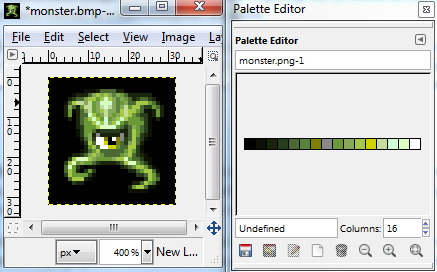
First we need a sprite for testing. I’ve found some great free sprites after some hunting around, and settled on this little monster – he’s a 24×24, 16 colour beast under the Creative Commons license (source in References section). After some tidying up the PNG file in The Gimp, I converted it to indexed mode, 16 colour (optimised palette):

After importing it into Bmp2Tile, set Sprite Output Mode, press the * key to select the whole image, and then export both the tiles and palette. The palette looks garbled in the preview, but it does export correctly; either I don’t understand how to make it show properly, or Windows 7 doesn’t correctly handle DJGPP/Allegro applications.

Loading sprite artwork

Sprites use the same VRAM pattern memory as the A/B planes, so for moving them to VRAM I’ll simply rename the LoadFont subroutine to something more generic like LoadTiles. Now that we’re dealing with more than one art asset, it might be worth figuring out how to organise it all into VRAM. We can modify the preprocessor tricks to do this all for us, and move these addresses to a separate file so they can be layed out neatly. Here’s a quick example of how I’ve arranged the Pixel Font and a few tiles for various sprites, of various sizes:

assetmap.asm:

; ************************************
; Art asset VRAM mapping
; ************************************
PixelFontVRAM:  equ 0x0000
Sprite1VRAM:    equ PixelFontVRAM+PixelFontSizeB
Sprite2VRAM:    equ Sprite1VRAM+Sprite1SizeB
Sprite3VRAM:    equ Sprite2VRAM+Sprite2SizeB

; ************************************
; Include all art assets
; ************************************
    include 'assets\fonts\pixelfont.asm'
    include 'assets\sprites\sprite1.asm'
    include 'assets\sprites\sprite2.asm'
    include 'assets\sprites\sprite3.asm'

; ************************************
; Include all palettes
; ************************************
    include 'assets\palettes\paletteset1.asm'

pixelfont.asm:

PixelFont: ; Font start address

    dc.l    $01111100
    dc.l    $11000110
    dc.l    $10111010
    dc.l    $10000010
    dc.l    $10111010
    dc.l    $10101010
    dc.l    $11101110
    dc.l    $00000000

; ...etc

PixelFontEnd                                 ; Font end address
PixelFontSizeB: equ (PixelFontEnd-PixelFont) ; Font size in bytes
PixelFontSizeW: equ (PixelFontSizeB/2)       ; Font size in words
PixelFontSizeL: equ (PixelFontSizeB/4)       ; Font size in longs
PixelFontSizeT: equ (PixelFontSizeB/32)      ; Font size in tiles
PixelFontTileID: equ (PixelFontVRAM/32)      ; ID of first tile

sprite1.asm:

Sprite1:

    dc.l    $11111111    ;  Tile: 1
    dc.l    $10000001
    dc.l    $10000001
    dc.l    $10000001
    dc.l    $10000001
    dc.l    $10000001
    dc.l    $10000001
    dc.l    $11111111

    dc.l    $11111111    ;  Tile: 2
    dc.l    $10000001
    dc.l    $10000001
    dc.l    $10000001
    dc.l    $10000001
    dc.l    $10000001
    dc.l    $10000001
    dc.l    $11111111

Sprite1End                                 ; Sprite end address
Sprite1SizeB: equ (Sprite1End-Sprite1)     ; Sprite size in bytes
Sprite1SizeW: equ (Sprite1SizeB/2)         ; Sprite size in words
Sprite1SizeL: equ (Sprite1SizeB/4)         ; Sprite size in longs
Sprite1SizeT: equ (Sprite1SizeB/32)         ; Sprite size in tiles
Sprite1TileID: equ (Sprite1VRAM/32)         ; ID of first tile

I’ve also moved the palettes to their own file for consistency. Now asset files can be added and removed at will, and it should be simple to keep them organised correctly in VRAM. It’s not an all-round solution, if the game gets big we have neither the space nor the need to fit everything in VRAM at once, so I’ll need to come up with a more dynamic solution if and when the time comes. For now, this is perfect for my needs.

Drawing sprites

Sprites are drawn by filling in details in a sprite attribute table. The VDP’s memory contains an area specifically for this attribute data – at 0xE000 – set in register 5 during intialisation. Each entry is 8 bytes long, and looks a little something like this:

000000YY YYYYYYYY 0000HHVV 0NNNNNNN DPPFFTTT TTTTTTTT 000000XX XXXXXXXX

where:

Y   = Y coord (from -128 to screen height + 128)
H/V = Sprite grid dimensions, in tiles
N   = Index of next sprite attribute (a linked list next ptr)
D   = Draw priority
P   = Palette index
F   = Flip bits (vert. and horiz.)
T   = Index of first tile in sprite
X   = X coord (from -128 to screen width + 128)

The sprite window’s coordinate system has a 128 pixel border, assumingly to allow sprites to be partially or fully hidden off screen, so for the sprite to be visible in the top-left corner coords of 128,128 must be set. The X and Y coordinates (of the top-left corner of the sprite) are defined in 10 bits each, although I’m unsure as to why they are at opposite ends of the structure. The 4 bits for the grid dimensions define how large the sprite will be, in tiles. It accepts all combinations from 1×1 to 4×4, and the positioning of subsequent tiles will be handled by the VDP for us automatically, as well as flipping for the entire sprite as a whole. I’m unsure what range the draw priority accepts, I’ve left it as zero for now since it’s out of the scope of this article. There are two bits for the H and V flipping (I won’t be using those yet), and the index of the first pattern tile in the sprite.

This leaves us with the N – the index of the next sprite attribute struct. The VDP will draw subsequent sprites by jumping through these next pointers, until it hits 0. This is also used for the drawing order – strangely, the VDP draws front-to-back, unlike most graphics APIs I’ve worked with on other platforms where the drawing is done back-to-front, which seems to make logical sense to me. So with this in mind, expect the first sprite in the linked list to be drawn on top, and the second to be drawn underneath it.

Here’s an example:

SpriteDesc1:
dc.w 0x0080        ; Y coord (+ 128)
dc.b %00001111     ; Width (bits 0-1) and height (bits 2-3)
dc.b 0x00          ; Index of next sprite (linked list)
dc.b 0x00          ; H/V flipping (bits 3/4), palette index (bits 5-6), priority (bit 7)
dc.b Sprite1TileID ; Index of first tile
dc.w 0x0080        ; X coord (+ 128)

Prefixing a value with % allows it to be specified in raw binary, useful for defining the width/height bits. Here I’ve defined a sprite made of a 4×4 grid of tiles. The struct then needs moving to the VDP, using a quick subroutine:

LoadSpriteTables:
   ; a0 - Sprite data address
   ; d0 - Number of sprites
   move.l    #vdp_write_sprite_table, vdp_control

   subq.b    #0x1, d0                ; 2 sprites attributes
   @AttrCopy:
   move.l    (a0)+, vdp_data
   move.l    (a0)+, vdp_data
   dbra    d0, @AttrCopy

   rts

…which is simply used with:

lea     SpriteDesc1, a0     ; Sprite table data
move.w  #0x1, d0            ; 1 sprite
jsr     LoadSpriteTables

Providing the 16 tiles have been loaded into VRAM, as well as the correct palette, we should have a big bad monster:

Moving sprites

Since sprites can be positioned at any X/Y coord, part of the point of them is to be able to move them about at runtime, so we’ll need subroutines to modify the X and Y coords. Not too difficult, just write to the correct addresses in the sprite attribute table:

SetSpritePosX:
   ; Set sprite X position
   ; d0 (b) - Sprite ID
   ; d1 (w) - X coord
   clr.l    d3                          ; Clear d3
   move.b    d0, d3                     ; Move sprite ID to d3

   mulu.w    #0x8, d3                   ; Sprite array offset
   add.b    #0x6, d3                    ; X coord offset
   swap    d3                           ; Move to upper word
   add.l    #vdp_write_sprite_table, d3 ; Add to sprite attr table

   move.l    d3, vdp_control            ; Set dest address
   move.w    d1, vdp_data               ; Move X pos to data port

   rts

SetSpritePosY:
   ; Set sprite Y position
   ; d0 (b) - Sprite ID
   ; d1 (w) - Y coord
   clr.l    d3                          ; Clear d3
   move.b    d0, d3                     ; Move sprite ID to d3

   mulu.w    #0x8, d3                   ; Sprite array offset
   swap    d3                           ; Move to upper word
   add.l    #vdp_write_sprite_table, d3 ; Add to sprite attr table

   move.l    d3, vdp_control            ; Set dest address
   move.w    d1, vdp_data               ; Move Y pos to data port

   rts

Used with:

move.w  #0x0,  d0      ; Sprite ID
move.w  #0xB0, d1      ; X coord
jsr     SetSpritePosX  ; Set X pos
move.w  #0xB0, d1      ; Y coord
jsr     SetSpritePosY  ; Set Y pos

Just for good measure, I’ve added another monster friend to demonstrate drawing two sprites, making sure to set the next sprite ID in the linked list, and terminating the second sprite with a 0:

SpriteDescs:
dc.w 0x0000        ; Y coord (+ 128)
dc.b %00001111     ; Width (bits 0-1) and height (bits 2-3) in tiles
dc.b 0x01          ; Index of next sprite (linked list)
dc.b 0x00          ; H/V flipping (bits 3/4), palette index (bits 5-6), priority (bit 7)
dc.b Sprite1TileID ; Index of first tile
dc.w 0x0000        ; X coord (+ 128)

dc.w 0x0000        ; Y coord (+ 128)
dc.b %00001111     ; Width (bits 0-1) and height (bits 2-3) in tiles
dc.b 0x00          ; Index of next sprite (linked list)
dc.b 0x20          ; H/V flipping (bits 3/4), palette index (bits 5-6), priority (bit 7)
dc.b Sprite2TileID ; Index of first tile
dc.w 0x0000        ; X coord (+ 128)

Here’s the finished result:

Check those badasses out.

There’s plenty more I could expand on – draw priorities and sorting, limitations of sprite drawing, subroutines to add and remove sprites at runtime – all in good time.

Matt.

Source code

Assemble with:

asm68k.exe /p spritetest.asm,spritetest.bin

References

Sega Megadrive – 5: Fonts and Text

The Hello World example was pretty simplistic, with only the necessary font glyphs created and all of the tile IDs hard coded to write the phrase. It can be taken a few steps further without too much work, allowing us to write arbitrary strings at any tile coordinates, in a variety of colours.

First, we need a complete font. I’ll abandon my embarrassing programmer art and instead convert a nice, tidy, opensource font to the pattern format, and keep it in a separate file to be loaded and dumped at any time using some Load/Unload routines – like how I’d expect to work with other art assets in the future. This also means I’ll need to deal with organising some locations in VDP memory to store arbitrary pieces of art, since up until now I’ve been uploading patterns to VRAM address 0x000, and this won’t work when dealing with more than one asset.

Secondly, I’ll write a text display subroutine, which accepts the font, string, X and Y coordinates and colour palette as parameters, which will be used to build the tile descriptor words before sending them to the VDP.

The font

I’ll need a nice font. For now I’ll be converting the font into a bitmap format and using a tool to convert each glyph into an assembly snippet, but if I need to do this sort of thing often I might put my C++ skills into gear and write a tool to do it automatically. I like tools. I won’t use every known character – after all, we’ve only got 64kb of graphics memory to play with, and it’s unlikely I’ll be making use of characters other than alphanumerical, full-stop and comma, and a few others. If I happen to need any more, I can always go back and add them at a later date.

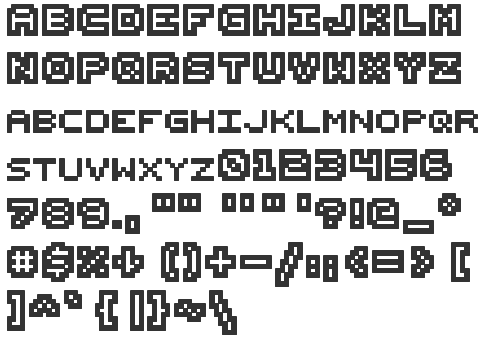
The font needs to be perfectly legible at a size of 7×7 (8×8 tiles, but leaving a one-line space). It wasn’t easy to find one that matches the specification that’s also free to use, but low and behold I found an absolute beauty – a 7×7 pixel font under the Creative Commons license (link to the font and license in references section):

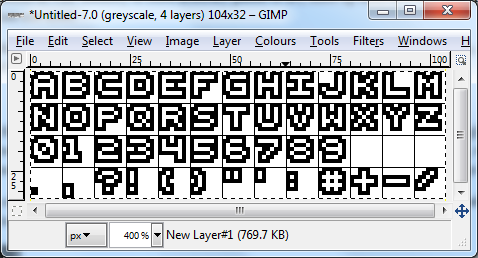
It needs a bit of tidying up first – I won’t make use of the smaller alpha characters, nor will I need all of those special characters, and a few of them don’t look like they’re 7×7 pixels in size either, but it’s a great start. Here’s my trimmed and corrected version – I’ve removed unneccesary characters, resized the brackets and created a new forward-slash from scratch, and aligned each character to an 8×8 grid (taking care that the bottom and right line of each cell remained blank, except for the comma):

Next, it needs converting to pattern data. For this, I used a tool called BMP2Tile, which dumps out tile data in assembly. To use this, I exported the font as a BMP file, opened it up in BMP2Tile, pressed the * key to select the entire image, then File -> Save Tiles -> In ASM. It dumps out a file containing each tile in ASM format, but it needed a few corrections making. I removed the size metadata (I’ll be writing my own) and replaced all 0’s with 1’s, and all F’s with 0’s so that the background is transparent, and the text will use colour 1. I could also go one step further and fill in the font face with a different colour, I might backtrack and do this at a later date, but for now I don’t want to waste any more palette entries on just a font.

Font attributes

As mentioned earlier, I’ll need to solve the problem of fitting more than one asset into the VDP at a time – I can’t just write artwork to VRAM address 0x000, there needs to be some organisation of what will fit where. To do this, and be able to refer to the correct tile IDs when setting up plane tiles, we need to know the address of the font, the size of the font in tiles, and the index of the first tile. Instead of sitting there counting it all, we can make use of the assembler’s preprocessor:

PixelFont: ; Font start address

dc.l    $01111100
dc.l    $11000110
dc.l    $10111010
dc.l    $10000010
dc.l    $10111010
dc.l    $10101010
dc.l    $11101110
dc.l    $00000000

; Rest of font data...

PixelFontEnd                                 ; Font end address
PixelFontSizeB: equ (PixelFontEnd-PixelFont) ; Font size in bytes
PixelFontSizeW: equ (PixelFontSizeB/2)       ; Font size in words
PixelFontSizeL: equ (PixelFontSizeB/4)       ; Font size in longs
PixelFontSizeT: equ (PixelFontSizeB/32)      ; Font size in tiles
PixelFontVRAM:  equ 0x0100                   ; Dest address in VRAM
PixelFontTileID: equ (PixelFontVRAM/32)      ; ID of first tile

Now we have some defines for all of the font’s sizes and addresses in various units, and they’ll be correct wherever we include the font file in code. I’ve chosen the arbitrary VDP address 0x0100 to upload the font to, simply as a demonstration (and to make sure the addressing works correctly when I implement the code), but I’m sure when I start making use of more artwork I’ll need to sit and plan the VDP’s memory layout properly.

LoadFont subroutine

This shouldn’t be too difficult, I did it in the last article, but this time we need to specify arbitrary fonts of any size, from any location, to any destination. This means we need to pass some parameters to a subroutine. There’s a few ways of achieving this – move the parameters to registers, or push data to the stack. Moving params to registers is the quickest (in terms of clock cycles) method, but we only have a limited amount of registers, and when the game code starts to get complex it would be difficult to juggle all of the registers around. The latter method allows us to specify a large amount of parameters, but since the subroutine would still need to make use of some registers internally we’d need some way of backup up and restoring them when entering and exiting the subroutine. For simplicity’s sake, I’ll go with the former method – moving parameters to registers – and if it starts to cause issues at a later date I’ll backtrack and change it.

Here’s what I came up with:

LoadFont:
; a0 - Font address (l)
; d0 - VRAM address (w)
; d1 - Num chars (w)

swap     d0                   ; Shift VRAM addr to upper word
add.l    #vdp_write_tiles, d0 ; VRAM write cmd + VRAM destination address
move.l   d0, vdp_control      ; Send address to VDP cmd port

subq.b   #0x1, d1             ; Num chars - 1
@CharCopy:
move.w   #0x07, d2            ; 8 longwords in tile
@LongCopy:
move.l   (a0)+, vdp_data      ; Copy one line of tile to VDP data port
dbra     d2, @LongCopy
dbra     d1, @CharCopy

rts

I’ve also defined the VDP control and data ports, as well as the VDP tile write command + address, since they’re likely to be used often. Using the subroutine should be pretty simple:

; Load font
lea        PixelFont, a0       ; Move font address to a0
move.l    #PixelFontVRAM, d0   ; Move VRAM dest address to d0
move.l    #PixelFontSizeT, d1  ; Move number of characters (font size in tiles) to d1
jsr        LoadFont            ; Jump to subroutine

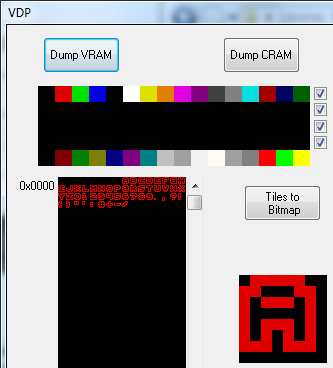
As long as a palette has been uploaded too, we can use the Regen debugger to view the contents of VRAM and confirm that everything is in its right place:

Mapping ASCII characters

My aim is to be able to write arbitrary strings, defined in the ROM somewhere. The assembler encodes text characters as ASCII, which means I’ll need some method of converting each ASCII character to the font’s tile IDs. In my first attempt at this, I was only using alpha characters, and since character A in ASCII is 65 I could get away with just adding 65 to each byte in the string. Now that I’ve introduced numerical and special characters, I’ll need to come up with something else. I intend to ensure that every font I make sticks to the same characters and layout, so the simplest method would be to create a table which maps ASCII codes to tile IDs of the font. It certainly won’t be the fastest method, it means using a lookup table when drawing every character, but it’ll do for now. Perhaps a better method would be to encode the string itself to match the font tile IDs, but that would complicate development. If I need to do some optimisation, I’ll look into it.

ASCIIStart: equ 0x20 ; First ASCII code in table

ASCIIMap:
dc.b 0x00   ; SPACE (ASCII code 0x20)
dc.b 0x28   ; ! Exclamation mark
dc.b 0x2B   ; " Double quotes
dc.b 0x2E   ; # Hash
dc.b 0x00   ; UNUSED
dc.b 0x2C   ; ' Single quote
dc.b 0x29   ; ( Open parenthesis
dc.b 0x2A   ; ) Close parenthesis
dc.b 0x00   ; UNUSED
dc.b 0x2F   ; + Plus
dc.b 0x26   ; , Comma
dc.b 0x30   ; - Minus
dc.b 0x25   ; . Full stop
dc.b 0x31   ; / Slash or divide
dc.b 0x1B   ; 0 Zero
dc.b 0x1C   ; 1 One
dc.b 0x1D   ; 2 Two
dc.b 0x1E   ; 3 Three
dc.b 0x1F   ; 4 Four
dc.b 0x20   ; 5 Five
dc.b 0x21   ; 6 Six
dc.b 0x22   ; 7 Seven
dc.b 0x23   ; 8 Eight
dc.b 0x24   ; 9 Nine
dc.b 0x2D   ; : Colon
dc.b 0x00   ; UNUSED
dc.b 0x27   ; ? Question mark
dc.b 0x00   ; UNUSED
dc.b 0x01   ; A
dc.b 0x02   ; B
dc.b 0x03   ; C
dc.b 0x04   ; D
dc.b 0x05   ; E
dc.b 0x06   ; F
dc.b 0x07   ; G
dc.b 0x08   ; H
dc.b 0x09   ; I
dc.b 0x0A   ; J
dc.b 0x0B   ; K
dc.b 0x0C   ; L
dc.b 0x0D   ; M
dc.b 0x0E   ; N
dc.b 0x0F   ; O
dc.b 0x10   ; P
dc.b 0x11   ; Q
dc.b 0x12   ; R
dc.b 0x13   ; S
dc.b 0x14   ; T
dc.b 0x15   ; U
dc.b 0x16   ; V
dc.b 0x17   ; W
dc.b 0x18   ; X
dc.b 0x19   ; Y
dc.b 0x1A   ; Z (ASCII code 0x5A)

There we go, ASCII characters from 0x20 to 0x5A, mapped to font tile IDs. When looking them up, I’ll need to add 0x20 to the ASCII code, so I’ve also defined this for readability.

Drawing text

The methods used to get the text on screen should be very similar to the previous article – set up the Plane A tile IDs. We already have the ID of the first tile in VRAM (PixelFontTileID), so we just need to offset that by the tiles in the ASCII map. For the time being, I’ll be looking up the table whilst it is still in ROM, but I have doubts about the speed of reading data from cartridge so in future I may move the table into a location in main RAM to make the lookups faster (unless, of course, I discover that there’s no major difference). The same may go for the string data itself.

The first step is to calculate the destination address in VRAM. Since I plan to support specifying the X and Y coordinates in tiles, the address needs to be offset by 64 for each horizintal line (in H40 mode), plus 1 for each vertical tile:

DrawTextPlaneA:
; a0 (l) - String address
; d0 (w) - First tile ID of font
; d1 (bb)- XY coord (in tiles)
; d2 (b) - Palette

clr.l    d3                     ; Clear d3 ready to work with
move.b   d1, d3                 ; Move Y coord (lower byte of d1) to d3
mulu.w   #0x0040, d3            ; Multiply Y by line width (H40 mode - 64 lines horizontally) to get Y offset
ror.l    #0x8, d1               ; Shift X coord from upper to lower byte of d1
add.b    d1, d3                 ; Add X coord to offset
mulu.w   #0x2, d3               ; Convert to words
swap     d3                     ; Shift address offset to upper word
add.l    #vdp_write_plane_a, d3 ; Add PlaneA write cmd + address
move.l   d3, vdp_control        ; Send to VDP control port

It’s the most complex thing I’ve written yet, but hopefully the comments should explain it well enough. There’s a new opcode here – ror (roll right) – which shifts bits to the right by a specified offset (up to 8). Here, ror.l #0x08, d1 is used to shift the X coord from the upper to the lower byte of a word in d1, since the swap opcode can only operate on a longword, swapping two words around. The least significant bit gets brought back round to the most significant, who’s place is determined by the operation size (so a byte-sized ror operation with offset of 1 on 0001 would give us 1000). There’s also a corresponding rol (roll left) opcode, which isn’t demonstrated here. The offset is converted to words (since the tile descriptors are 1 word in size) and added to the ‘write to plane A’ VDP command + address, which I’ve defined for ease of use.

Next, we need to set up the word-sized tile descriptor, which contains the palette ID, the pattern ID, and flip bits (not used here). The palette ID fits into two bits, and belongs in bits 14 and 15 of the tile descriptor word, so we’ll start with that. I can use the ror opcode again for this, but since it can only move bits a maximum of 8 places at a time, it’ll need doing twice in order to shift the ID up 13 bits:

clr.l    d3                     ; Clear d3 ready to work with again
move.b   d2, d3                 ; Move palette ID (lower byte of d2) to d3
rol.l    #0x8, d3               ; Shift palette ID to bits 14 and 15 of d3
rol.l    #0x5, d3               ; Can only rol bits up to 8 places in one instruction

Now we need to loop round each byte in the string, adding the pattern ID of the text glyph to d2, before sending the complete tile descriptor word to the VDP. Our exit case for the loop will be a string terminator 0x0 (so we also need to make sure our strings actually end in 0x0), and along the way we need to convert the ASCII byte to a pattern ID using the ASCII table:

lea      ASCIIMap, a1           ; Load address of ASCII map into a1

@CharCopy:
move.b   (a0)+, d2              ; Move ASCII byte to lower byte of d2
cmp.b    #0x0, d2               ; Test if byte is zero (string terminator)
beq.b    @End                   ; If byte was zero, branch to end

sub.b    #ASCIIStart, d2        ; Subtract first ASCII code to get table entry index
move.b   (a1,d2.w), d3          ; Move tile ID from table (index in lower word of d2) to lower byte of d3
add.w    d0, d3                 ; Offset tile ID by first tile ID in font
move.w   d3, vdp_data           ; Move palette and pattern IDs to VDP data port
jmp      @CharCopy              ; Next character

@End:
rts

Hopefully it should be self-explanatory, with the exception of that move.b  (a1,d2.w), d3 line. The parenthesis mean to offset the source address of the move command – so we’re moving the byte at address a1 + d2 to d3. This is how array access is done in 68k assembler. I haven’t yet tested, but I’m assuming the same can be done for the destination addresses, so offsets into the array can be written to as well.

The subroutine relies on the string being zero-terminated, else it will continue to loop until it finds one and just displays garbage. For each string, I’ll need to remember to append the zero manually, unlike in languages like C where strings inside double-quotes are automatically one byte longer than the string was defined, to hold the terminator.

String1:
dc.b "ABCDEFGHIJKLM",0

Since the font includes the ” character, if we were to use it in a string constant we will need the equivalent of an ‘escape character’ in C, and that is to prefix the ” with another “. This seems to be unique to the ASM68K assembler, the C escape characters are used in other assemblers.

Here’s the finished result, showing off a few different strings, colour palettes and X/Y coordinates:

; Load font
lea       PixelFont, a0        ; Move font address to a0
move.l    #PixelFontVRAM, d0   ; Move VRAM dest address to d0
move.l    #PixelFontSizeT, d1  ; Move number of characters (font size in tiles) to d1
jsr       LoadFont             ; Jump to subroutine

; Draw text
lea       String1, a0          ; String address
move.l    #PixelFontTileID, d0 ; First tile id
move.w    #0x0501, d1          ; XY (5, 1)
move.l    #0x0, d2             ; Palette 0
jsr       DrawTextPlaneA       ; Call draw text subroutine

lea       String2, a0          ; String address
move.l    #PixelFontTileID, d0 ; First tile id
move.w    #0x0502, d1          ; XY (5, 2)
move.l    #0x1, d2             ; Palette 1
jsr       DrawTextPlaneA       ; Call draw text subroutine

lea       String3, a0          ; String address
move.l    #PixelFontTileID, d0 ; First tile id
move.w    #0x0503, d1          ; XY (5, 3)
move.l    #0x2, d2             ; Palette 2
jsr       DrawTextPlaneA       ; Call draw text subroutine

lea       String4, a0          ; String address
move.l    #PixelFontTileID, d0 ; First tile id
move.w    #0x0504, d1          ; XY (5, 4)
move.l    #0x3, d2             ; Palette 3
jsr       DrawTextPlaneA       ; Call draw text subroutine

lea       String5, a0          ; String address
move.l    #PixelFontTileID, d0 ; First tile id
move.w    #0x0106, d1          ; XY (1, 6)
move.l    #0x3, d2             ; Palette 3
jsr       DrawTextPlaneA       ; Call draw text subroutine

lea       String6, a0          ; String address
move.l    #PixelFontTileID, d0 ; First tile id
move.w    #0x0107, d1          ; XY (1, 7)
move.l    #0x3, d2             ; Palette 3
jsr       DrawTextPlaneA       ; Call draw text subroutine

  ; Text strings (zero terminated)
String1:
  dc.b "ABCDEFGHIJKLM",0
String2:
  dc.b "NOPQRSTUVWXYZ",0
String3:
  dc.b "0123456789",0
String4:
  dc.b ",.?!()""':#+-/",0
String5:
  dc.b "THE QUICK BROWN FOX JUMPS",0
String6:
  dc.b "OVER THE LAZY DOG",0

  ; Include art assets
  include 'fonts\pixelfont.asm'

There’s plenty of improvements which can be made in future – there’s only support for uppercase letters (although the ASCII table could map any lowercase characters to the uppercase pattern IDs just for completeness), there’s no text wrapping at the end of a line (although perhaps some higher-level UI code could handle that). It would also be quite easy to be able to specify a font’s colour in the LoadFont subroutine, which would just replace any 1’s in the patterns as it copies.

It’s also unlikely that the code will be the fastest and most optimal method to do this sort of thing, but I’m still learning.

Matt.

Source

This source contains some corrections and improvements to init.asm posted previously:

References